My Works

Onoma

since 2025
  • iOS
  • Swift
  • SwiftUI
  • UX
  • UI
  • Development
  • AI

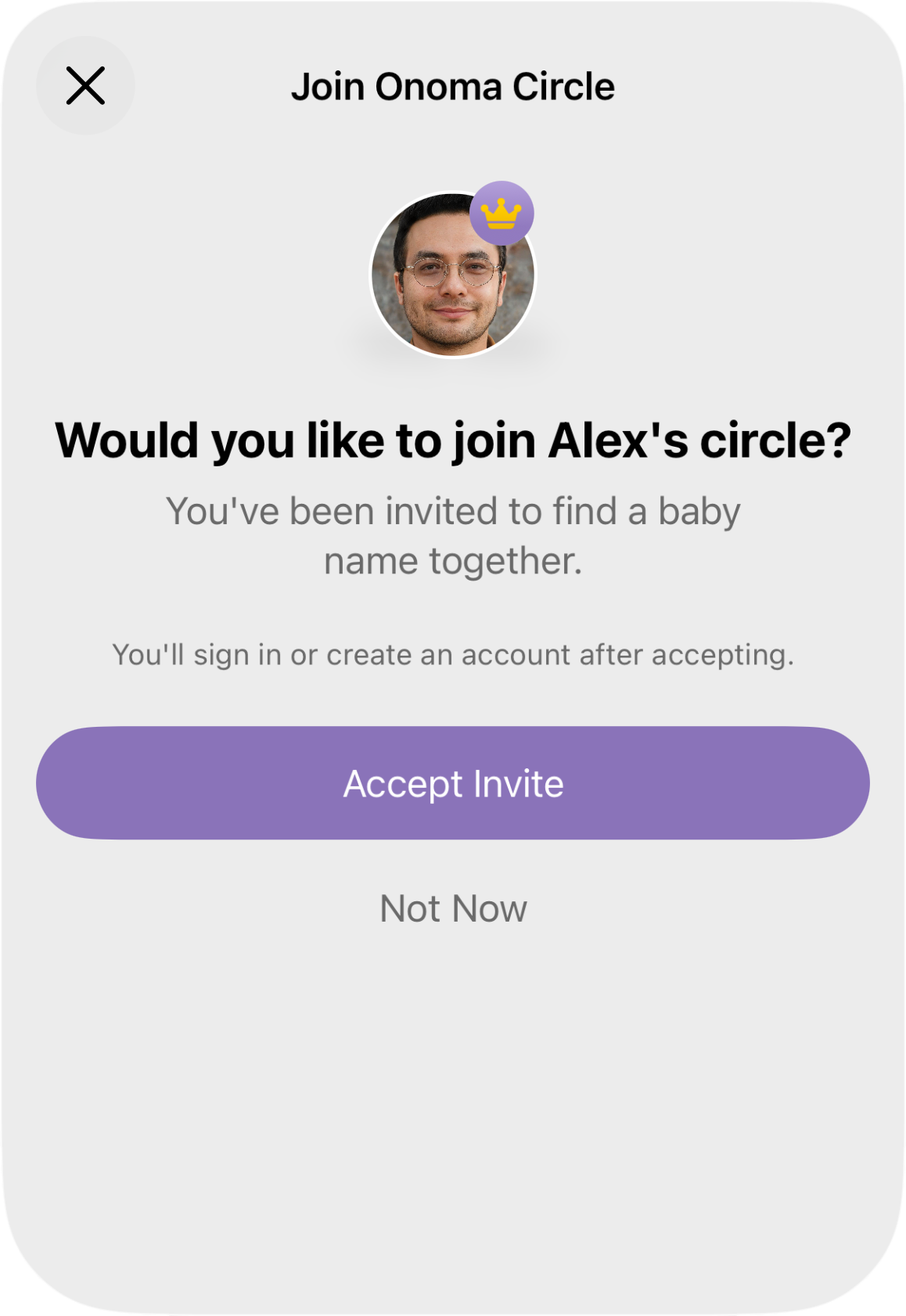
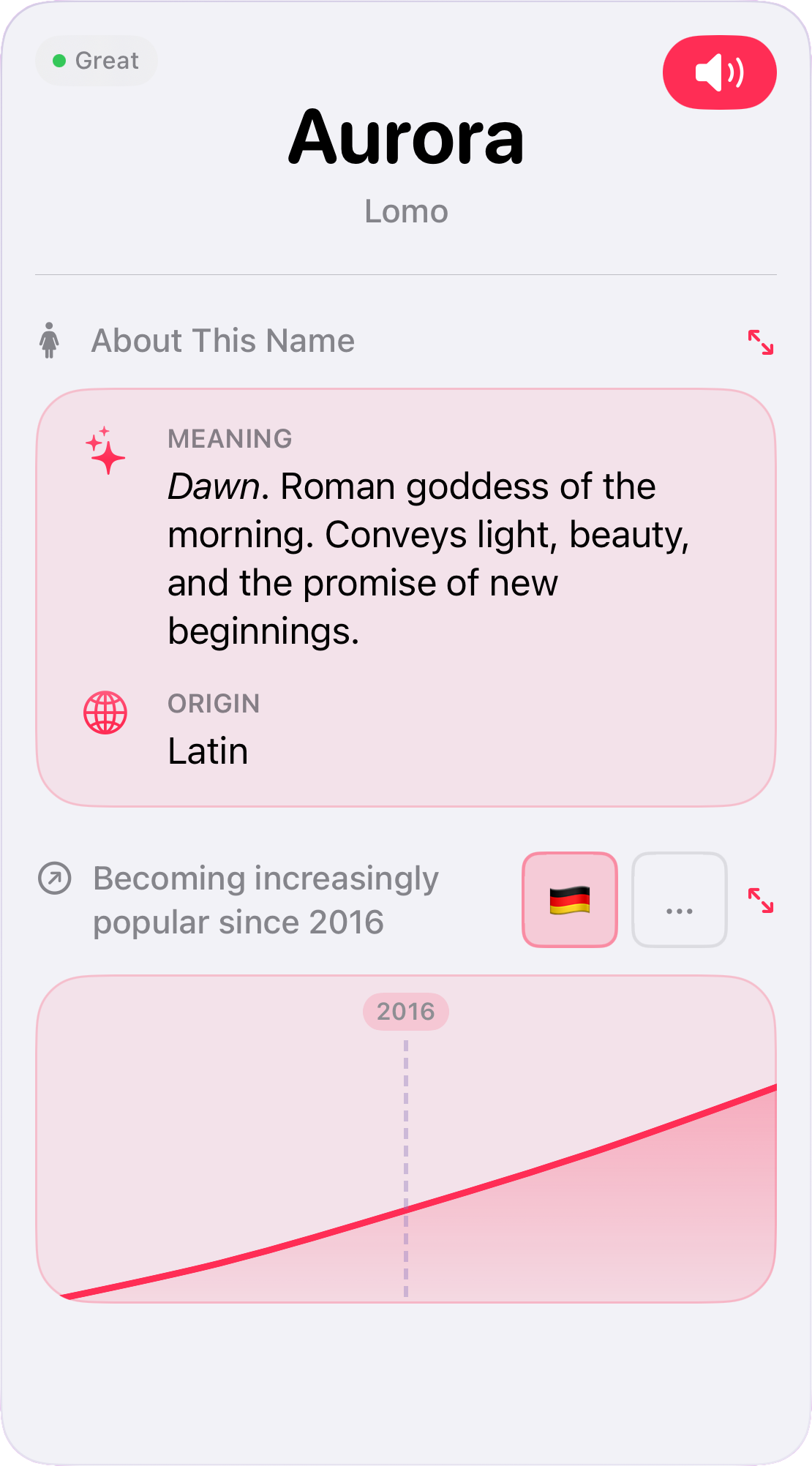
Onoma is an iOS app available on the App Store for couples to find baby names together.

UX/UI Design

  • Card-based swipe interface with gesture navigation optimized for one-handed use
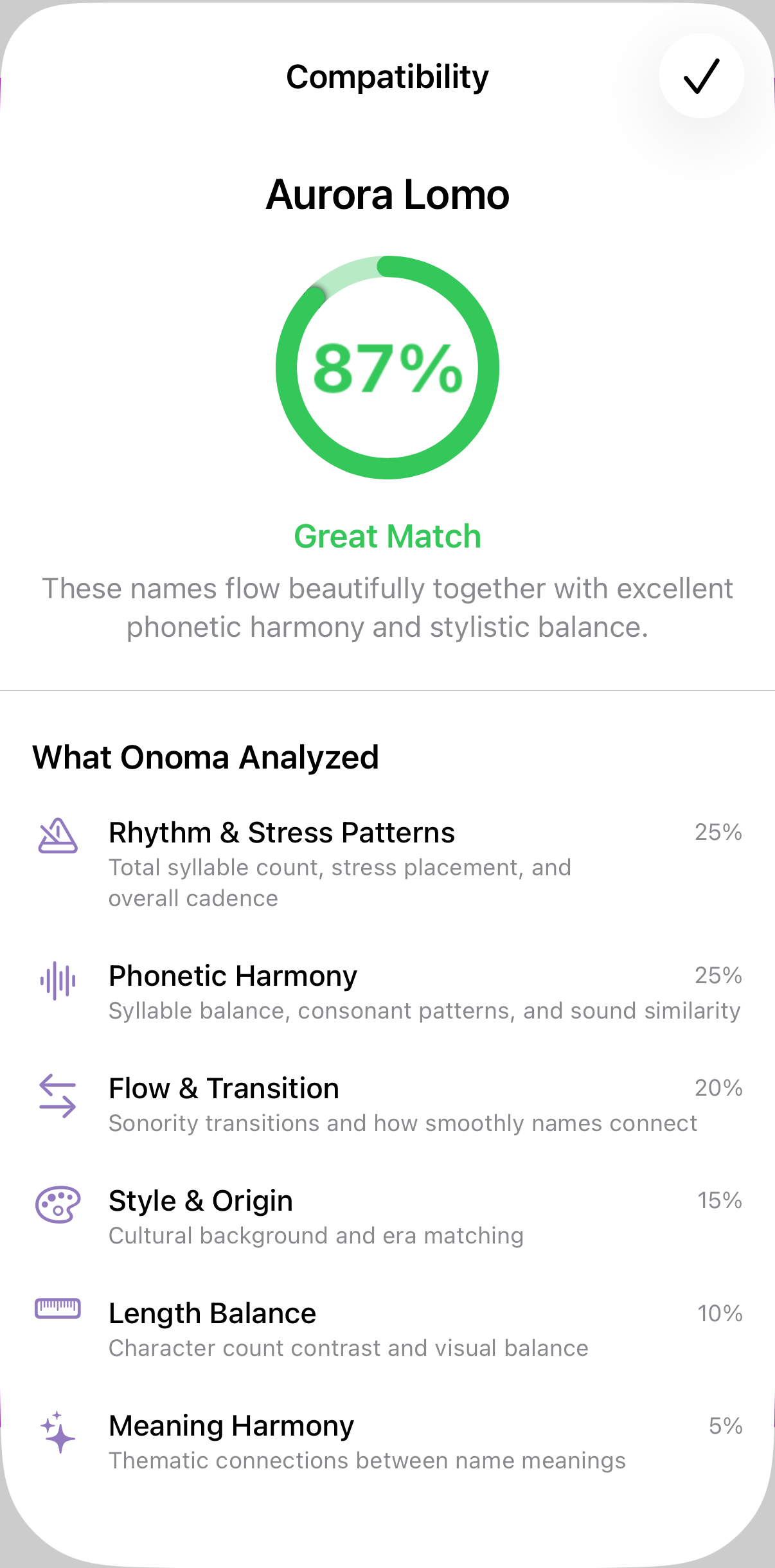
  • Smart pairing mode finding compatible first/middle name combinations with visual compatibility scoring
  • Visual feedback for offline mode with pending action indicators that sync when online
  • Comprehensive filter system: gender, popularity, length, starting letters, historical era
  • Private web links for friends and family to contribute name suggestions
  • Auto-advance mode for hands-free browsing

Technical Implementation

  • Built with Swift and SwiftUI
  • Custom-developed AuthenticationKit framework for user authentication with email/password, Apple Sign In, and Passkeys
  • Vapor for backend with custom API
  • Offline-first architecture with pending swipe queue and automatic sync
  • Real-time data synchronization across multiple devices
  • Network monitoring with server reachability validation
  • AI-powered semantic search with natural language queries
  • Custom phonetic analysis algorithm for name compatibility
  • StoreKit integration for premium name packages

Challenges

  • Creating shared decision-making that works both synchronously and asynchronously
  • Balancing detailed name information with quick gesture-based decisions
  • Clear visual states for offline, pending sync, and real-time collaboration
  • Switching between first and middle name modes

ZigHaven

since 2025
  • iOS
  • Swift
  • SwiftUI
  • UX
  • UI
  • Development
  • AI

ZigHaven is an iOS app available on the App Store serving as a frontend for Zigbee2MQTT smart home systems.

UX/UI Design

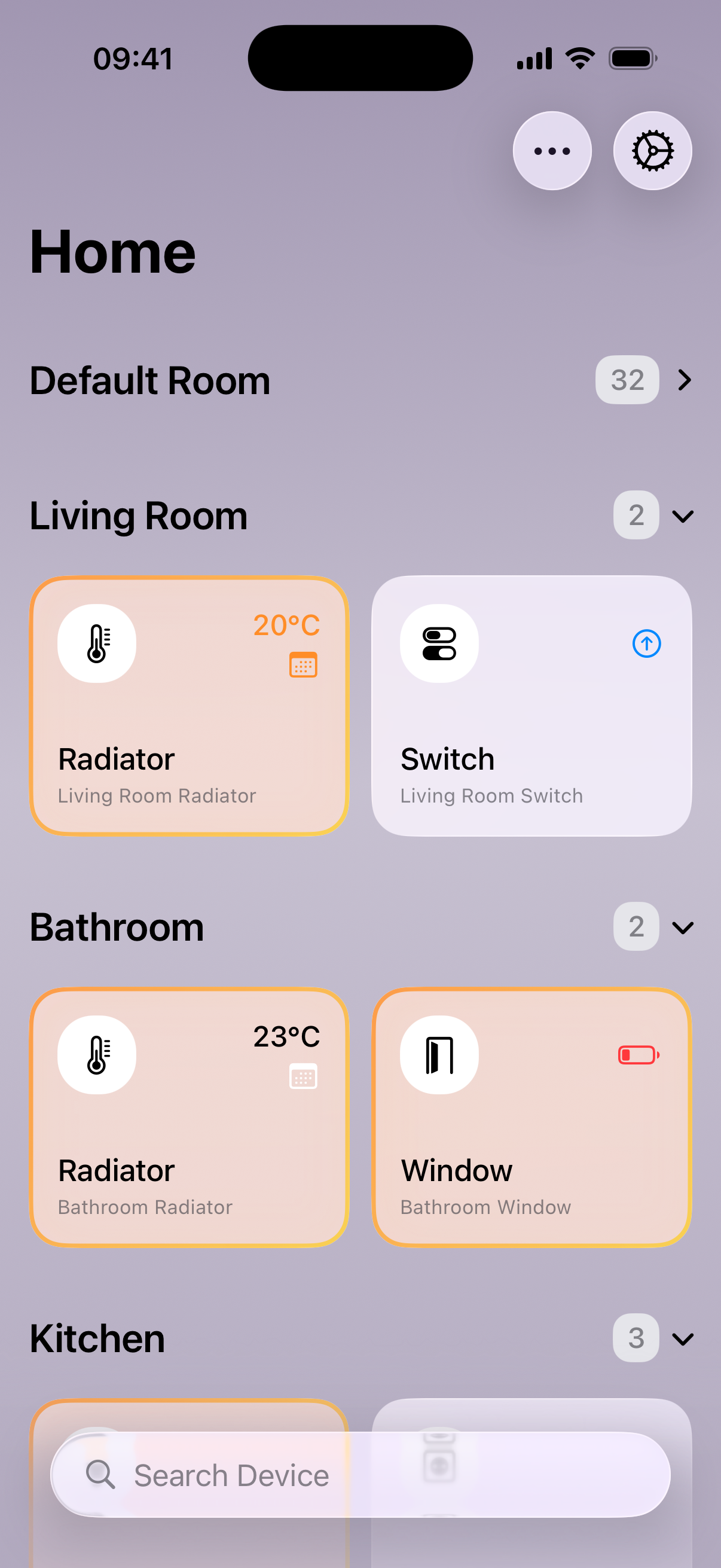
  • Room-based device organization with card-based display
  • Real-time device status monitoring and control
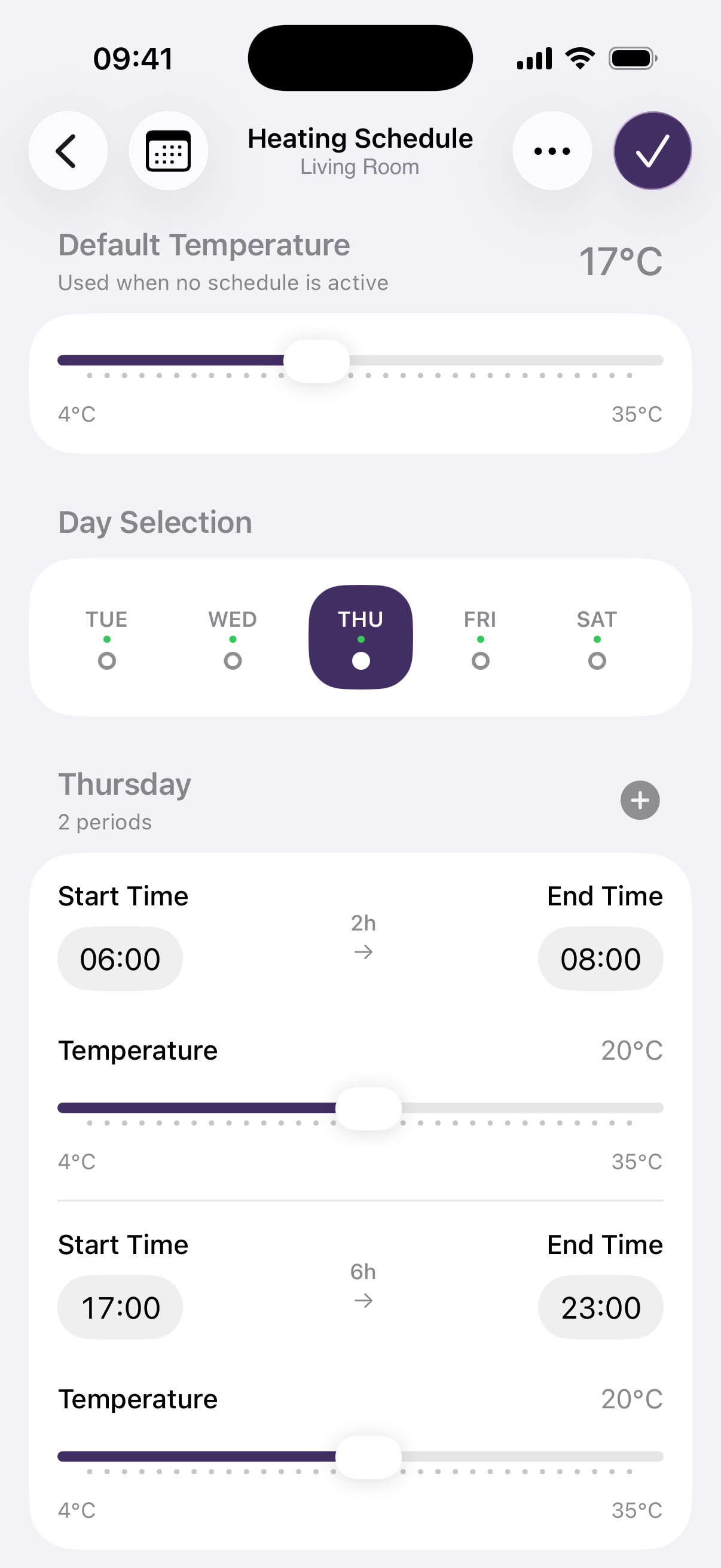
  • Device scheduling with weekly schedule editor
  • Vacation mode with temperature strategies and scheduling
  • Power consumption visualization with charts
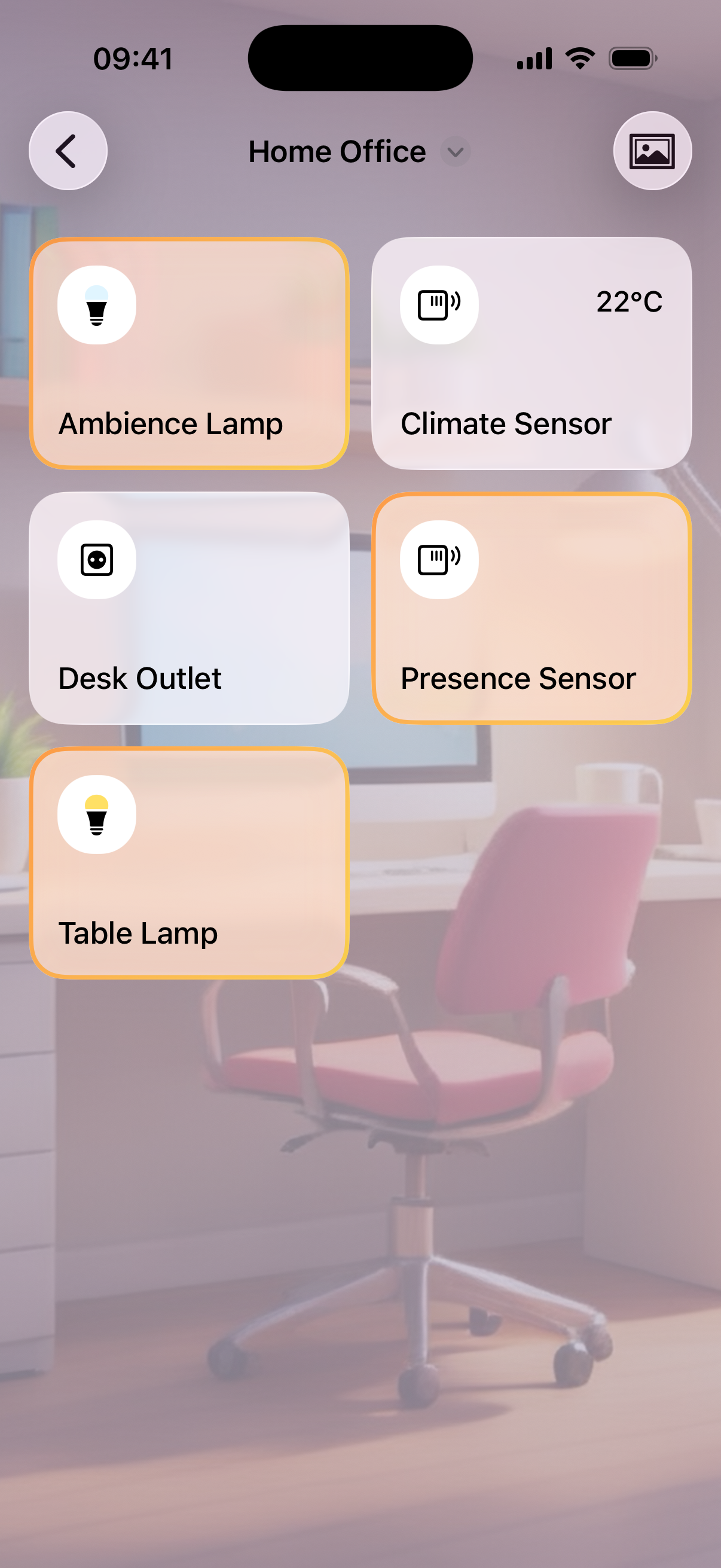
  • AI-generated room background images using Apple Intelligence
  • AI-powered contact sensor type detection
  • Full VoiceOver accessibility support

Technical Implementation

  • Built with Swift and SwiftUI
  • MQTT integration using CocoaMQTT framework
  • SwiftData for local device and room persistence
  • Multi-device configuration sync over MQTT
  • Server deployment wizard for Vapor-based power monitoring backend on Linux via Docker
  • SSH integration for remote server management
  • Network connectivity monitoring and validation
  • Power consumption API with caching

Challenges

  • Managing MQTT connection reliability across network transitions
  • Synchronizing device state across multiple iOS devices via MQTT
  • Deploying and configuring Linux backend from iOS interface
  • Real-time device control with proper state reconciliation
  • Balancing local caching with real-time updates

Next Station: Wedding

2025
  • Grav CMS
  • UX
  • UI
  • Plugin Development

Next Station: Wedding is a website built on Grav CMS with custom theme and plugins for guest management and photo book integration.

UX/UI Design

  • 90s retro aesthetic with modern UX standards
  • Fully responsive design across devices
  • Token-based personalized guest access with pre-filled forms
  • Photo book interface organized by guest groups

Technical Implementation

  • Two custom GravCMS plugins: Guest Token Authentication and Photobook Admin
  • Custom event handler integration
  • Automated QR code generation with logo using Endroid QrCode Library
  • CSV-based data persistence for guest and RSVP management
  • Admin dashboard for live overview and export functions

Challenges

  • Balancing retro aesthetics with modern usability expectations
  • Creating secure yet frictionless guest authentication
  • Managing photo uploads and organization across multiple guest groups
  • Generating print-ready QR codes for physical invitations

myAudi

2017 to 2025
  • UX
  • UI
  • User Testing
  • Scrum
  • SAFe

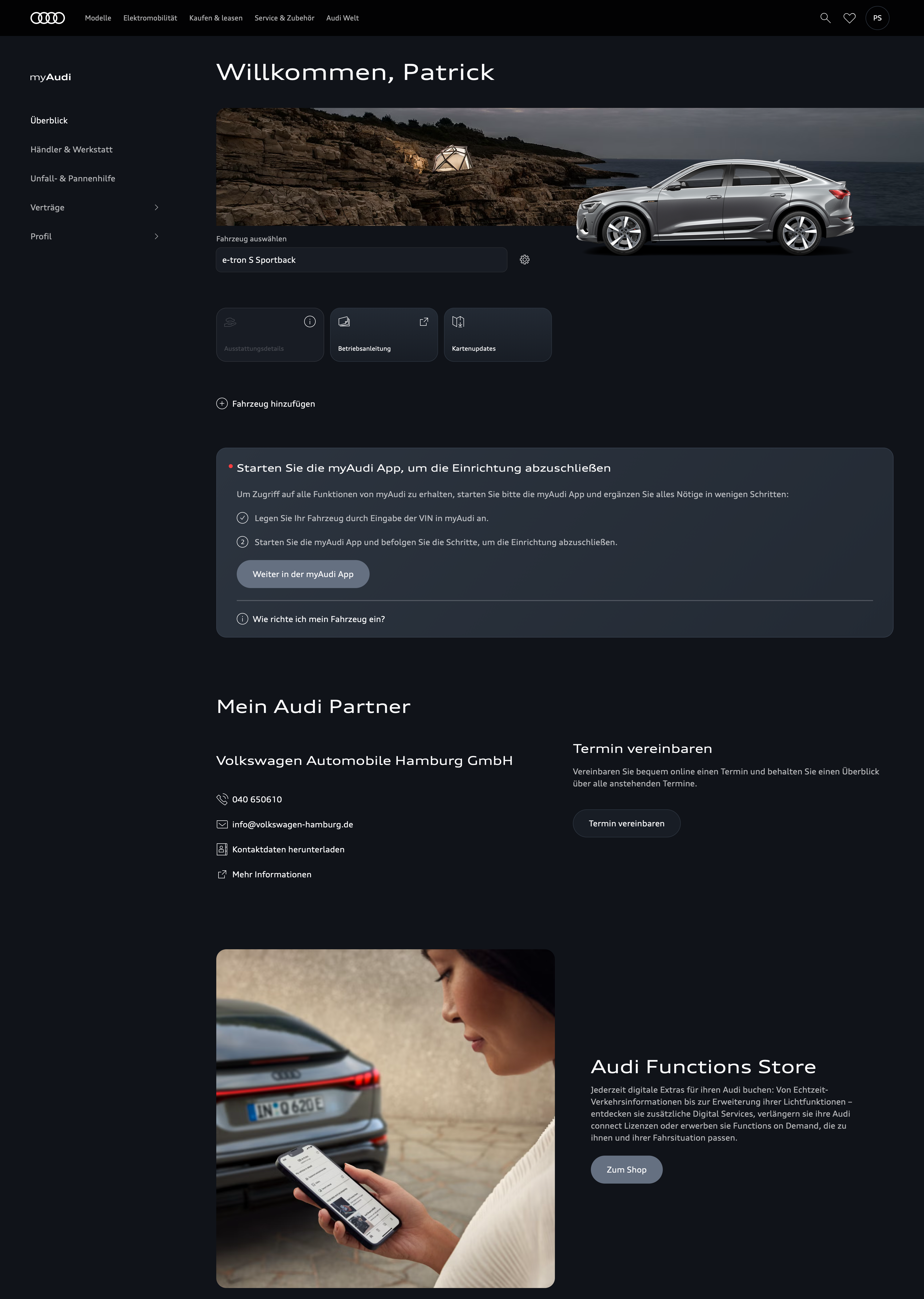
myAudi is Audi's customer portal at myAudi.com. I worked on its continuous development in an international, interdisciplinary team for over seven years, including the iOS app.

UX/UI Design

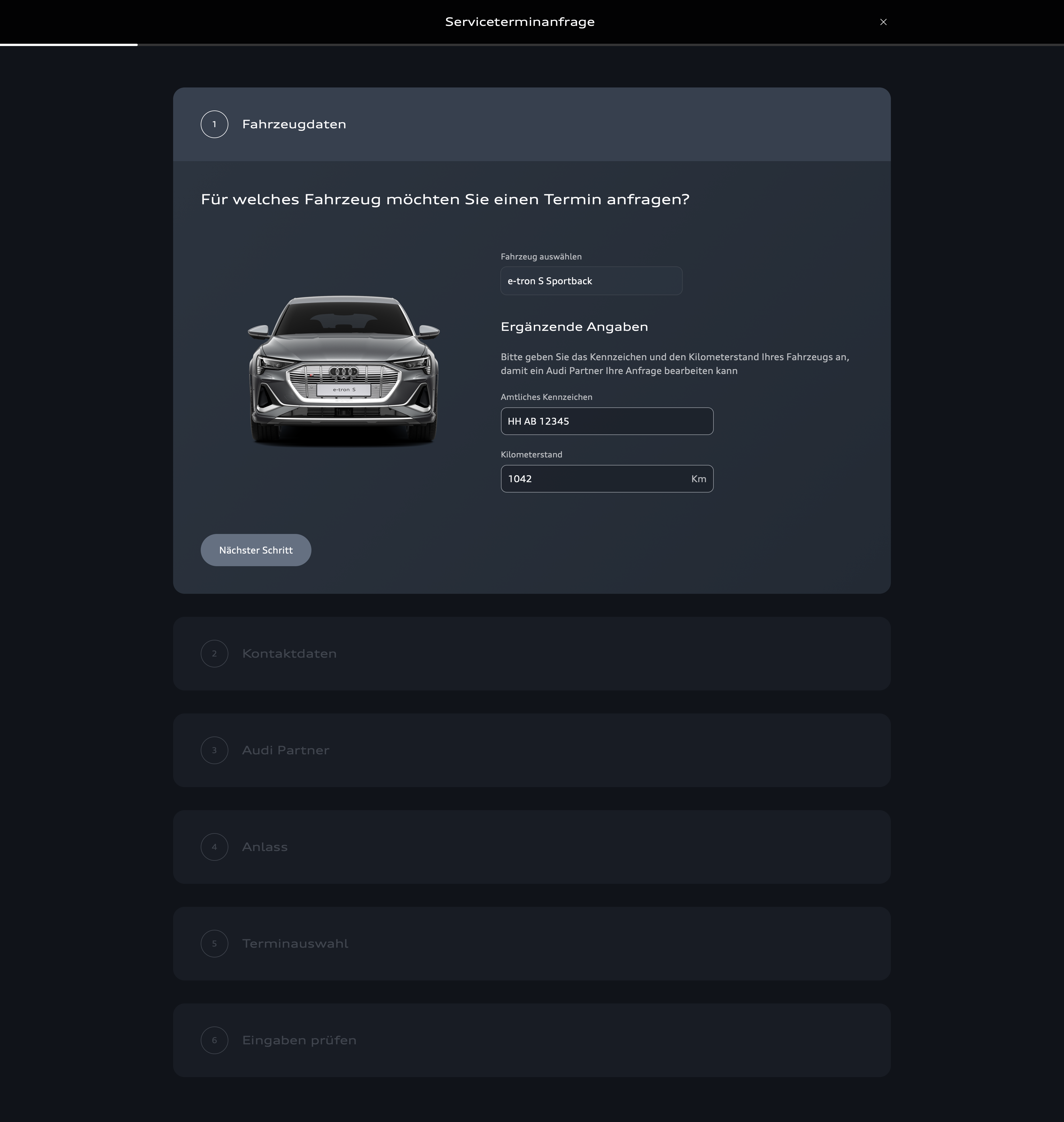
  • Service appointment booking system design
  • EV charging planning interface
  • Multi-platform consistency across web and iOS
  • Usability testing with focus groups

Project Contributions

  • Feature conceptualization and UI design for service booking and EV charging planning
  • Planning and conducting usability tests to optimize user guidance
  • Coordination within SAFe framework with international teams
  • Cross-platform design system maintenance

Challenges

  • Ensuring consistent user experience across multiple platforms
  • Balancing feature richness with interface simplicity
  • Coordinating design decisions across international stakeholder groups
  • Adapting agile processes for large-scale enterprise development
  • JavaScript (Vanilla)
  • Development

Train Destination Display is a web application emulating the iconic Hamburg U-Bahn destination display (used until 2025) with its characteristic dot-matrix style and countdown.

UX/UI Design

  • Faithful recreation of original dot-matrix display aesthetics
  • Configurable layout logic for varying text lengths
  • Responsive design maintaining authentic pixel rendering

Technical Implementation

  • Built with vanilla JavaScript for maximum portability
  • Custom pixel grid rendering via HTML & CSS
  • Flexible configuration system via simple config file
  • Modular structure for easy integration

Challenges

  • Achieving visual authenticity while maintaining web compatibility
  • Creating flexible layout system for multiple line configurations
  • Balancing historical accuracy with modern customization needs

Originally created for a wedding website, evolved into a standalone project.

Smart Alarm

2008 to 2017
  • iOS
  • Objective-C
  • UX
  • UI
  • Development

Smart Alarm was one of the first alarm clock apps in the Apple App Store with innovative features for improving the wake-up process.

UX/UI Design

  • Smart wake-up timing within user-defined intervals
  • Weather-based wake-up adjustments for user convenience
  • Sleep phase-aware interaction design

Technical Implementation

  • Built with Objective-C
  • Integration with proprietary cloud system
  • Sensor data processing for sleep phase detection
  • Weather API integration for dynamic wake-up adjustments

Challenges

  • Balancing alarm reliability with sleep phase flexibility
  • Integrating multiple data sources (sensors, weather) for wake-up decisions
  • Creating intuitive controls for complex timing logic

The app was discontinued in 2017 due to time constraints.

PT Guide

2011 to 2015
  • iOS
  • Objective-C
  • UX
  • UI
  • User Testing
  • Development

PT Guide was an iOS app designed for blind and visually impaired users of public transportation.

UX/UI Design

  • Audio-first interface for accessible navigation
  • VoiceOver-optimized user flows
  • Extensive user testing with blind and visually impaired users
  • Turn-by-turn audio guidance for transfers and exits

Technical Implementation

  • Built with Objective-C
  • Deep integration with Apple's VoiceOver technology
  • Real-time location tracking for transit navigation
  • Audio feedback system for guidance cues

Challenges

  • Designing navigation without visual feedback
  • Ensuring reliability for safety-critical transit guidance
  • Optimizing audio cues for noisy transit environments
  • Balancing information density with audio clarity

The app was discontinued in 2015 due to time constraints.

simple.dev

2005 to 2025
  • Web
  • Grav CMS
  • iOS

simple.dev was a website platform for self-developed mobile and web apps as well as German localizations of third-party apps.

Project Scope

  • Resources and tools for the developer community
  • German localizations for international apps
  • Platform for distributing personal projects
  • 20 years of continuous operation and maintenance

The website was closed in 2025 due to time constraints.

PresActive

2015 and 2017
  • Web
  • HTML
  • JavaScript
  • jQuery
  • UX
  • UI
  • Development

PresActive is a web-based presentation app controlled entirely through touchless gestures.

UX/UI Design

  • Touchless gesture controls for presentation navigation
  • Gesture-driven interface design minimizing visual chrome
  • User acceptance testing for gesture interaction patterns

Technical Implementation

  • Built with HTML, JavaScript, and jQuery
  • Gesture recognition system for touchless control
  • Web-based platform for cross-device compatibility

Challenges

  • Designing intuitive gesture mappings for presentation controls
  • Balancing gesture innovation with user acceptance
  • Exploring impact of touchless interaction on functionality and design

ExtruFace

2015 to 2016
  • Web
  • HTML
  • JavaScript (Vanilla)
  • UX
  • UI
  • Development

ExtruFace was a collaborative university-industry project developing a gesture-controlled user interface for extrusion industrial machines.

UX/UI Design

  • Gesture-controlled interface aligned with typical machine operator workflows
  • Intuitive machine control reducing training time
  • Industrial-focused UI design for production environments

Technical Implementation

  • Built with HTML and vanilla JavaScript
  • Gesture recognition system for touchless control
  • Prototype development from requirements analysis to final approval

Challenges

  • Adapting modern UX/UI principles to industrial machinery contexts
  • Balancing gesture innovation with operator familiarity
  • Ensuring reliability in production environments

ApfelBlatt 3.2

2014 to 2015
  • iOS
  • Objective-C
  • UX
  • UI
  • Development

ApfelBlatt 3.2 was the official iOS app for the online magazine ApfelBlatt.

UX/UI Design

  • Separate design concepts optimized for smartphone and tablet
  • Magazine-optimized reading experience
  • Iterative design refinement based on reader feedback

Technical Implementation

  • Built with Objective-C
  • Complete conception and implementation
  • Ongoing client consultation and integration of user feedback

Challenges

  • Creating distinct layouts for different screen sizes while maintaining consistent brand identity
  • Optimizing magazine content for mobile consumption